What a draft looks like
An example. They ask for more info, it finds a reason to talk & asks for a specific day.
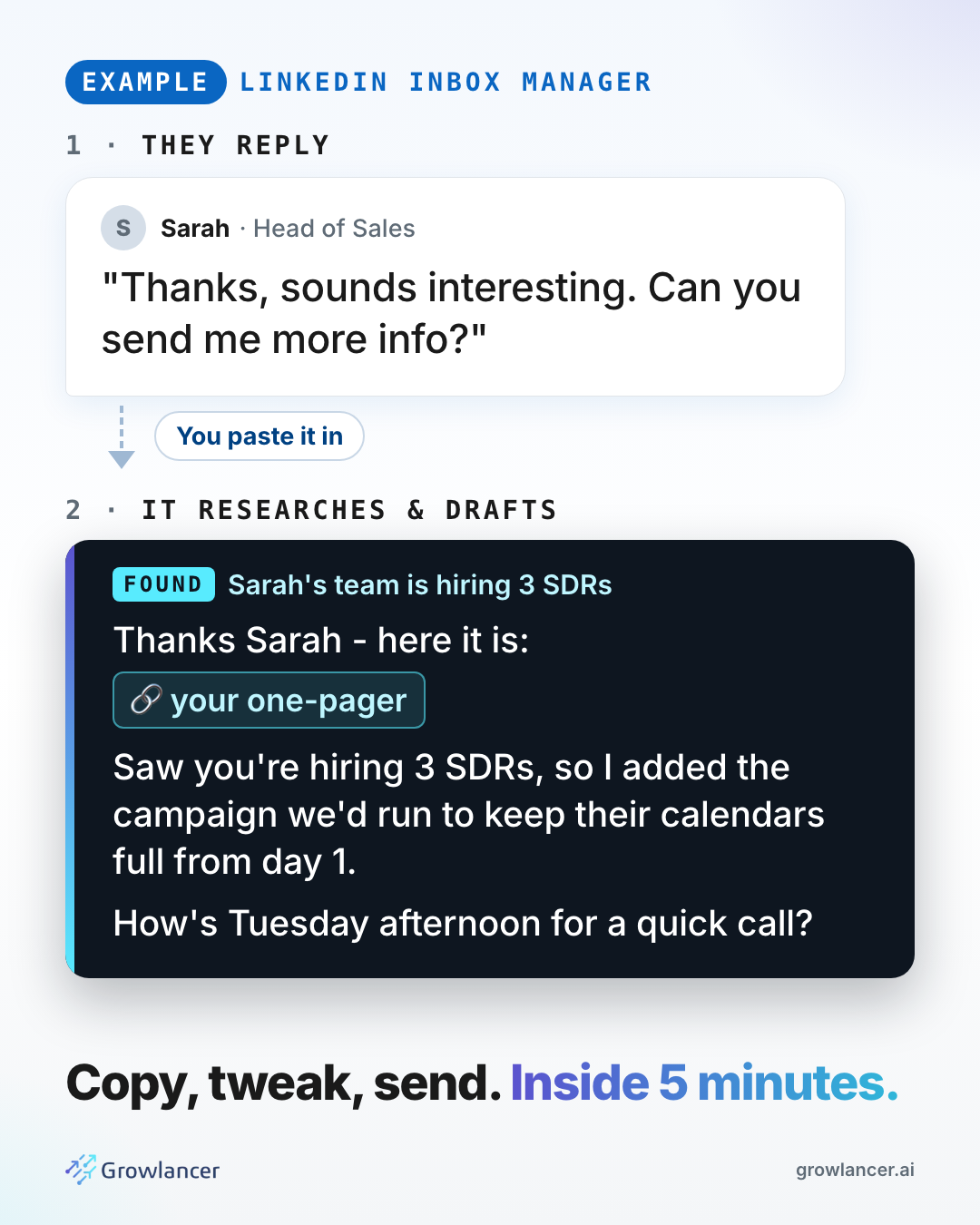
Grab the file, then 3 steps. About 15 minutes to your first draft. Bookmark this page - the link in your email comes back here.
Quick check. It takes 30 seconds.
Steps 1 & 2 are one-time. Step 3 is every reply after that.
Claude app: open Settings, then Capabilities, then Skills. Upload the .zip.
Claude Code: unzip it into your skills folder.
unzip linkedin-inbox-manager-v1.zip -d ~/.claude/skills/If your browser blocked the .skill download, use the .zip. Same files.
set up my inbox managerIt asks 8 questions, one at a time: what you sell, the link you send, your calendar, what you can prove, pricing, who's a fit, your voice & who sends the messages.
Your answers go into brief.md. Every reply after this sounds like you.
brief.md into briefs/ with the client's name & name the client when you paste a thread.inbox managerThen paste the conversation, as text or a screenshot. It looks the person up, drafts the reply & tells you why it works.
Copy, tweak, send. Aim for inside 5 minutes of their reply.
An example. They ask for more info, it finds a reason to talk & asks for a specific day.
Never write a number it didn't read. Every result, price & link comes from your brief. If it isn't there, the reply doesn't say it.
Nothing sends. Every reply is a draft. You copy it, tweak it & send it yourself.
That's right on a fresh install. Say "set up my inbox manager" & answer the 8 questions.
Check web search is on. If it is, there may be nothing worth mentioning. Then it drafts without a hook rather than inventing one. That's on purpose.
Your brief is thin. Open brief.md & fill in your voice & the words it must never use. Then say why you'd change the draft - it adds the lesson to your brief.
Copy brief.md into briefs/, one per client. Then start with the client's name: "inbox manager, Acme" & paste the thread.
No, on purpose. Automated sending on LinkedIn is how accounts get restricted. Draft, then you send.
That's Lance. When he launches on 29 October, he brings every reply into Slack with a drafted answer. You tap Approve.
Grab the file & start at step 1.
Something broken, or a draft that missed? Message me on LinkedIn. This is v1 & every report makes it better.