
Every great LinkedIn post that actually drives business boils down to three things: a scroll-stopping hook, a value-packed body that shares a real point of view, and a clear call-to-action that gets a conversation started.
Nail this structure, and your posts stop being noise and start becoming pipeline-generating assets.
Moving from Vanity Metrics to Revenue
Here’s where most B2B leaders get it wrong on LinkedIn. They chase likes, comments, and follower counts, thinking it's a popularity contest. But those are just vanity metrics. They feel good, sure, but they don't reliably lead to qualified meetings or closed deals.
The real mindset shift is this: stop writing for engagement and start writing for revenue.
Every single post needs a strategic purpose tied directly to your pipeline. Stop asking, "Will people like this?" Instead, start asking, "Will my ideal client find this so ridiculously valuable that they'll trust me enough to take the next step?"
Adopt a Point of View
The secret to making this shift is surprisingly simple. You have to consistently share a clear—and sometimes even contrarian—point of view on a specific problem your customers are struggling with.
Don't just report industry news or share generic, watered-down tips. Take a stand. Argue a position. Challenge the conventional wisdom. This is how you build genuine authority and become the one person they remember in a sea of sameness.
Your goal isn't to be agreeable; it's to be the one person in your niche whose insights are so sharp and relevant that prospects can't afford to ignore you. That's how trust is built and how inbound conversations begin.
This simple three-step process is how you turn your content into a predictable revenue driver.
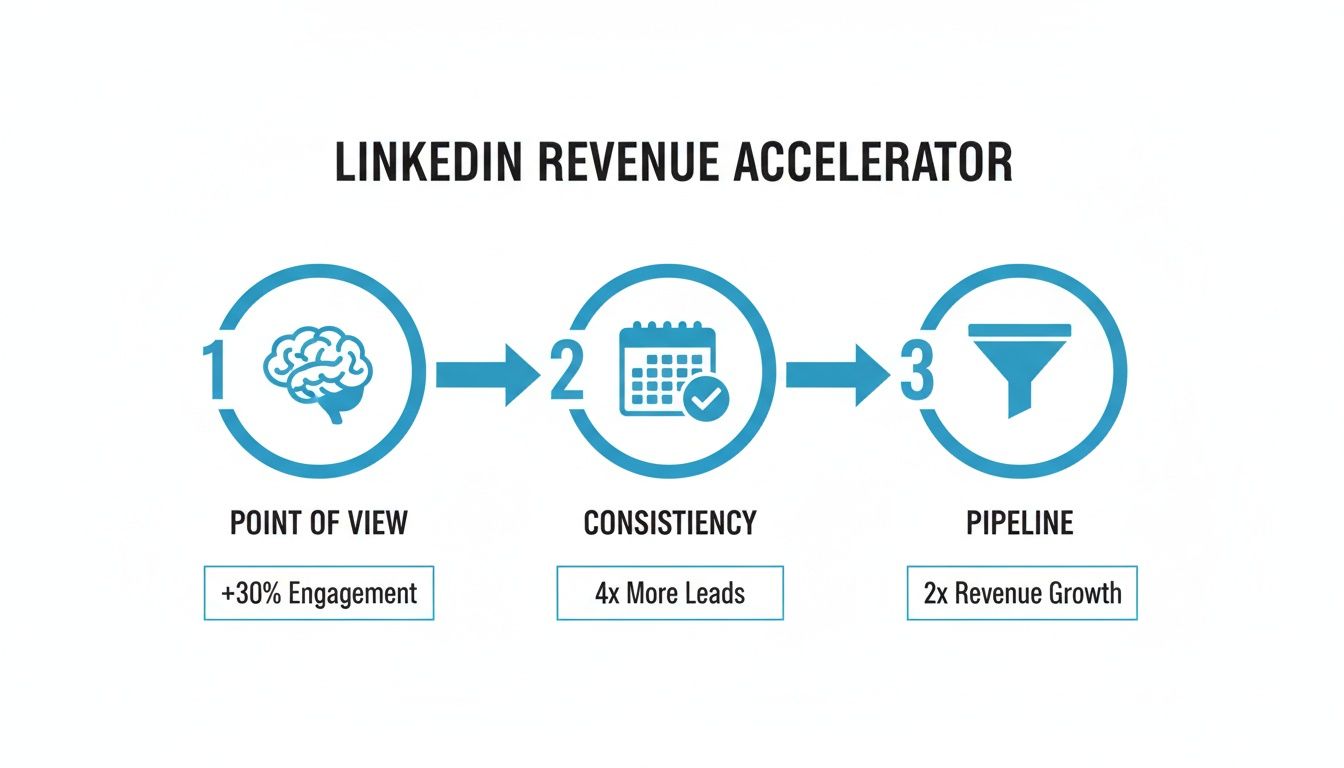
It all starts with a strong point of view, delivered consistently, which then directly feeds your sales pipeline.
Here’s a quick breakdown of how these components work together to create posts that don't just get seen, but actually get results.
Core Components of a Revenue-Driving LinkedIn Post
| Component | Purpose | Example Tactic |
|---|---|---|
| Scroll-Stopping Hook | Grabs your ideal customer's attention in the first two lines, making them stop scrolling and click "see more." | Start with a bold, contrarian statement like, "Your sales team is ignoring your best leads." |
| Value-Driven Body | Educates, persuades, or entertains by sharing a unique perspective or a practical framework that solves a real problem. | Break down a complex process into 3-5 simple, actionable steps your reader can apply immediately. |
| Specific CTA | Guides the reader on exactly what to do next to get more value, moving them from a passive reader to an active lead. | Instead of "DM for info," try "Comment 'Framework' below and I'll send you the full guide." |
Think of this table as your pre-flight checklist before you hit "post." If you're missing any of these core elements, you're likely leaving opportunity on the table.
The Power of Consistency
Simply showing up with focused content gives you a massive, almost unfair, advantage. While LinkedIn has over a billion members, a tiny fraction—about 1% of users—publishes content weekly.
Think about that. That small group drives billions of impressions.
For a B2B leader, committing to a consistent posting schedule immediately puts you in an elite circle. It's a compounding asset; each post builds on the last. To truly see the impact, you need to know how to measure marketing ROI, which becomes the proof that this consistent effort is paying off.
Writing Hooks That Command Attention

Let's be blunt: the first line of your LinkedIn post isn't just a sentence. It's a gatekeeper. Your ideal customer is flying through their feed, and you have less than two seconds to give them a reason to slam on the brakes.
If your hook fails, the rest of your post—no matter how brilliant—might as well be invisible.
This is the exact moment most B2B leaders lose the battle for attention. They play it safe with predictable openings that just blend into the background noise. To win here, you have to be a little disruptive and immediately signal that you have something valuable to say.
The Psychology of a Powerful Hook
A great hook isn't just clever wording; it's a psychological trigger. It creates a tiny gap between what the reader knows and what they desperately want to know. That little bit of tension is what compels them to click "see more."
The best hooks don't just announce a topic. They disrupt a thought pattern.
They usually do this by hitting one of three core triggers:
- Challenging a Belief: Question a piece of "common wisdom" in your industry.
- Addressing a Pain Point: Speak directly to a frustration your prospect is feeling right now.
- Creating Curiosity: Drop a surprising statistic or a personal story that demands a conclusion.
For instance, instead of saying, "Here are some tips for better sales calls," try something that challenges a belief: "Your best SDR is probably wasting 80% of their day on the wrong activities." See the difference? The second version creates immediate tension and promises a real insight.
The purpose of the first line is brutally simple: to get the second line read. Every single word in your hook should serve that one goal. If it doesn't earn you the click, it has failed.
Getting this right is the first real step in learning how to write a post for LinkedIn that actually drives business.
Practical Hook Formulas That Work
Forget the generic, fill-in-the-blank templates. Let's look at a few specific, battle-tested frameworks you can adapt. Each one is designed to stop a busy B2B buyer in their tracks by being direct and value-driven from the very first word.
The Contrarian Hook
This one works by directly challenging a common piece of advice or a deeply held belief in your industry. It works because it instantly positions you as a thought leader with a unique, and probably more valuable, point of view.
- Example: "Everyone tells you to hire for experience. They're wrong. Here's what to look for instead."
- Why it works: It starts a debate in the reader's mind and makes them consider an alternative perspective they haven't heard a thousand times before.
The Pain Point Hook
This hook dives right in by articulating a deep, specific problem your ideal customer is dealing with. It shows empathy and immediately signals that you get it—you understand their world.
- Example: "You just spent six figures on a new CRM, but your team still isn't using it. Sound familiar?"
- Why it works: It hits on a real, costly frustration. The reader feels understood and is instantly eager to hear about a potential solution.
Mastering hooks like these is how you turn your posts from passive company updates into active conversation starters. This is the essential first move in turning your LinkedIn presence into a machine for inbound leads.
Building Your Narrative with Value and Story
A killer hook gets them to stop scrolling, but the body of your post is where you actually build trust. This is where you have to deliver the goods. It’s your shot to go beyond a clever opening line and provide real substance that shows you know what you're talking about.
Forget just dumping information. The real goal here is to construct a narrative. You want to educate, make your audience feel seen, and gently guide them to a new perspective—your perspective.
The most effective posts almost always follow a simple but powerful flow: they start by pinpointing a problem your ideal client is wrestling with. Then, they dig into that problem a bit, highlighting the real-world consequences to make it feel urgent. Finally, they position your unique insight as the obvious path forward.
Frame the Problem Clearly
You can't sell an aspirin to someone who doesn't think they have a headache. Before you can offer your solution, your audience has to feel the pain of their problem.
Start by describing a specific challenge they deal with every single day. The key is to use their words, not yours.
For example, don’t just say something vague like, "Sales processes can be inefficient."
Instead, get specific: "Your best AEs are burning hours every week manually updating Salesforce when they should be closing deals." See the difference? That second one feels real, immediate, and frustrating.
This simple shift turns your content from a generic broadcast into a genuinely helpful piece of advice. You're no longer just writing a post; you're kicking off a conversation about something that actually matters to them.
The most effective LinkedIn posts don’t just share tips; they reframe problems. When a prospect sees you articulating their exact struggle better than they can, you instantly gain credibility and authority.
This is a fundamental part of building an effective thought leadership content marketing strategy, where your insights become the bedrock of your brand. You can dive deeper into this with our full guide on thought leadership content marketing.
Weave in Authentic Stories
Data gives you logic, but stories create connection. If you want your points to stick, wrap them in a personal story or a client win. Storytelling makes abstract ideas feel real and human. It’s the difference between telling and showing.
Let’s say you want to explain the impact of a new sales framework. You have two ways to go about it:
- The Dry Framework Approach: "Our three-step process helps teams improve discovery calls by focusing on active listening, problem identification, and solution mapping." (Yawn.)
- The Storytelling Approach: "I once worked with a VP of Sales whose team had hit a wall. Their discovery calls felt flat, and they were missing opportunities. We introduced a simple three-step process, and within a month, one of their reps uncovered a $250,000 deal that had been sitting right under their noses. Here’s the exact framework she used…"
The second one hits completely different, right? It gives you social proof, creates an emotional hook, and makes the value of the framework crystal clear.
Stories aren't just fluff. They’re the Trojan horse that carries your most important ideas, making them simple, relatable, and engaging enough to keep people reading all the way to the end.
Using Formatting and Media to Boost Engagement
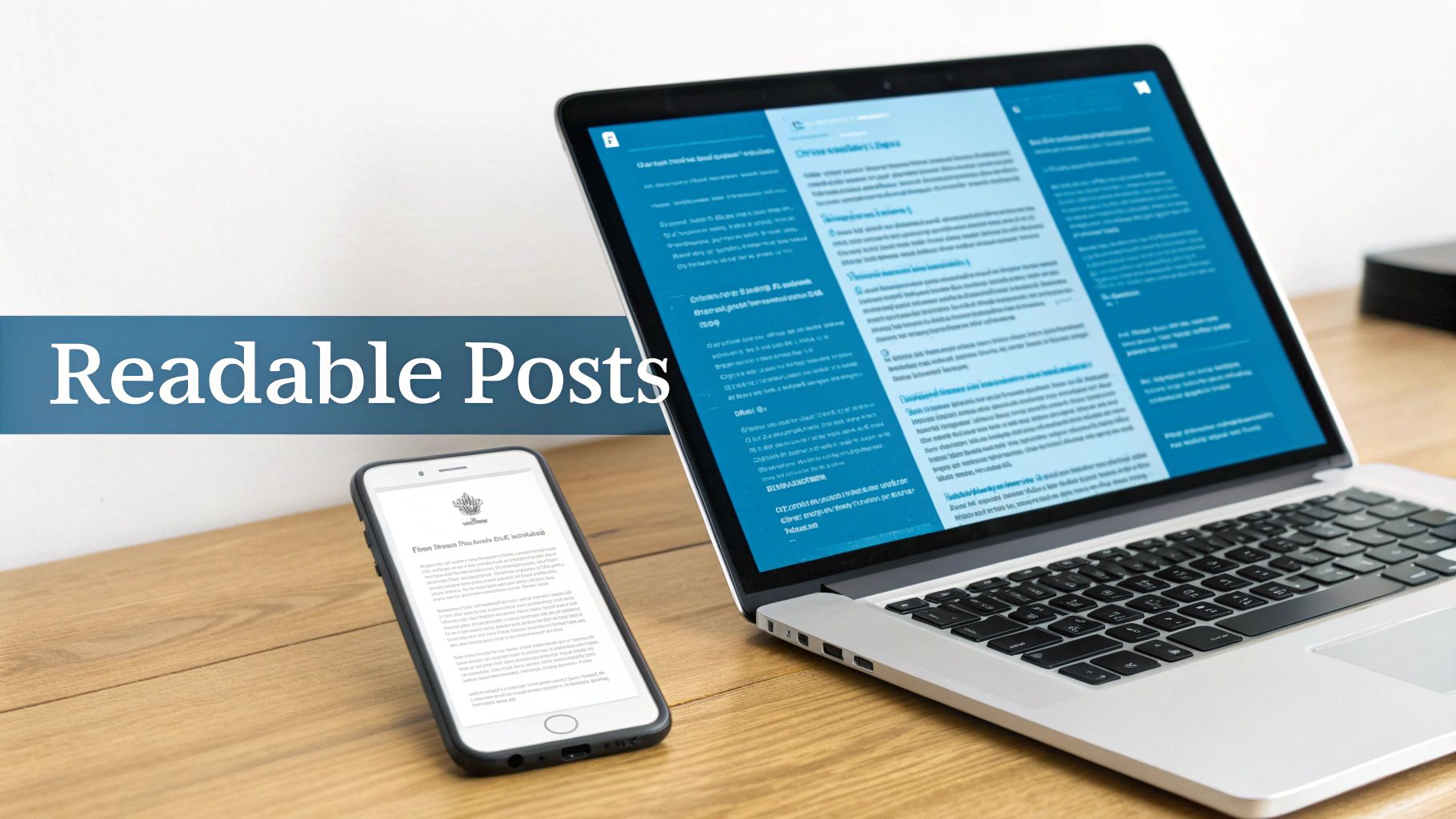
Even the most brilliant message will fall flat if it’s buried in a wall of text. On LinkedIn, how your post looks is just as important as what it says—especially on mobile.
Think of formatting and media as your secret weapons for stopping the endless scroll. They aren't just fluffy extras; they're essential for grabbing and holding onto someone's attention.
The mission is simple: make your content absurdly easy to read. Be honest about your own scrolling habits. You’re far more likely to slow down for a post with short, skimmable bits of info than one that looks like a textbook excerpt.
This is where white space becomes your best friend. Keep your paragraphs short and sweet. One to two sentences is the sweet spot. This tiny change makes your post feel clean and inviting, pulling the reader down the page, line by line, right to your call-to-action.
Making Your Text Visually Appealing
Short paragraphs are a great start, but you need more to keep things interesting. Adding some visual variety helps guide the reader's eye and makes your key points pop without them having to work for it.
Here are a few dead-simple ways to structure your text for readability:
- Bullet points or numbered lists: These are gold for breaking down frameworks, listing takeaways, or walking through a process. It turns a clunky paragraph into a clean, high-value asset.
- Bold key phrases or numbers: Make your most important info impossible to miss. A surprising statistic (2x more comments) or a core concept stands out instantly. Just don't overdo it.
- Emojis for a human touch: If it fits your brand, a couple of well-chosen emojis can inject some personality and break up the monotony of the text.
Here's a quick litmus test: before you hit "post," pull it up on your phone. If it looks like a cramped, hard-to-read mess on a small screen, that’s exactly how your audience will see it.
Nailing these little details is a massive part of learning how to write a LinkedIn post that people actually read and respond to.
Choosing the Right Media Format
The right visual doesn't just support your message; it supercharges it. Data from platforms like Buffer shows that posts with images can get roughly 2x more comments than text-only updates, while native video can rake in 5x more engagement.
For B2B leaders, this is no longer optional. You have to pair a strong written story with a compelling visual.
But which format should you choose? It all comes back to your goal.
- Images: A clean, high-quality image is perfect for adding a human element or visualizing a single, powerful point. Think headshots, team photos, or simple graphics that reinforce your message.
- Carousels (Document Posts): These are fantastic for breaking down a complex idea, sharing a step-by-step guide, or repurposing slides. They work so well because they get people clicking to see the next slide, driving up engagement.
- Native Video: A short, authentic video—think 1-2 minutes—is incredibly powerful for sharing a quick tip, a personal story, or a behind-the-scenes glimpse. Nothing builds a personal connection faster.
When you combine crisp, readable text with the right visual, you've created a complete package that’s built to stop the scroll and drive real business conversations.
Crafting CTAs That Start Conversations and Create Leads
A brilliant LinkedIn post that ends without a clear next step is a massive missed opportunity. It’s like a great sales pitch that ends with an awkward silence instead of asking for the business. All that effort you poured into building trust and delivering value just fizzles out.
Your call-to-action (CTA) is the bridge that turns a passive reader into an engaged prospect.
This is the final, make-or-break step in learning how to write LinkedIn posts that actually drive revenue. Your job is to make it incredibly simple for your ideal customer to raise their hand and say, "Hey, I'm interested in what you're talking about."
Move Beyond "What Do You Think?"
The most common mistake I see B2B leaders make is ending their posts with a lazy, generic question like, "Thoughts?" or "What do you think?"
Sure, it feels like you're encouraging engagement, but it puts all the work on your reader. Worse, it almost never sparks a meaningful business conversation. It’s just too vague.
A revenue-focused CTA is different. It’s specific, it’s direct, and it has a clear business goal. You’re not just trying to start a random discussion; you're trying to identify potential buyers and invite them into your world in a low-friction way. It gives them a single, obvious action to take that feels valuable to them.
Your CTA isn't just the last line of your post—it's the first step in your sales process. Make it simple, specific, and valuable enough that taking the next step feels like a natural and intelligent decision for your ideal prospect.
This small shift in mindset is what separates posts that get a few vanity comments from posts that build a genuine sales pipeline.
Types of High-Converting CTAs
Instead of a generic prompt, you need to match your CTA to the content of your post. The goal is always to offer something of value that directly relates to the problem you've just discussed.
Here are a few CTA frameworks that have worked wonders for our clients:
- The Resource Offer: A true classic for a reason. If your post highlights a problem, offer a tangible resource that helps solve it. This is a simple value exchange.
- Example: "If you want the full 5-step framework we use for this, comment 'Framework' below and I'll send it over."
- The Conversation Starter: This approach is perfect for inviting a more private, direct conversation. It's great for prospects who might not want to comment publicly.
- Example: "Struggling with this exact problem? Shoot me a DM with the word 'Pipeline' and I'll share a couple of quick ideas."
- The Opinion-Based Question: This is a much smarter version of "What do you think?" because it's designed to segment your audience and find people with a specific challenge or viewpoint.
- Example: "Are you seeing better results from outbound or inbound this quarter? Let me know which one is working for you in the comments."
Each of these gives a clear directive and a specific reward for taking action. Master these, and you’ll start turning your LinkedIn profile into a reliable engine for inbound leads.
For a deeper dive, our complete guide on how to generate leads on LinkedIn breaks down the entire funnel, from content creation to closing deals.
Answering Your Top LinkedIn Content Questions
Even with the best framework, the real questions pop up when you start executing. It's the little details that separate a content plan that looks good from one that actually drives revenue.
Let's dive into the most common questions I get from B2B leaders trying to get their LinkedIn content system humming.
How Often Should I Post to See Real Results?
This is the big one. Everyone wants to know the magic number.
Here's the truth: consistency trumps frequency. But you can't ignore frequency entirely. You're trying to become a familiar, trusted voice in your ideal customer's feed, and that doesn't happen with sporadic posting.
Based on our work generating pipeline for clients, the sweet spot is 3-5 high-quality posts per week.
This is enough to keep you top-of-mind with the algorithm and your audience, but not so much that you burn out and your quality tanks. If you’re posting less than twice a week, you'll struggle to build the momentum needed to actually get meetings. More than five, and you're likely just creating noise.
What Are the Best Times to Post on LinkedIn?
Forget all those generic guides pointing to "Tuesday at 10 AM." The real answer is much simpler and far more effective: post when your audience is online and scrolling.
For most B2B folks, this usually means a few predictable windows in their local time zone:
- Morning Coffee (8-10 AM): They're catching up before the meeting storm hits.
- Lunch Break (12-1 PM): The perfect time for a quick scroll.
- Day's End (4-5 PM): They're winding down and checking in one last time.
But treat this as your starting line, not the finish. The only way to know for sure is to test. Pay close attention to your analytics for the first few weeks. The data will tell you everything you need to know.
Your best posting time isn’t a universal secret; it’s a specific data point you uncover by observing your own audience’s behavior. Let your analytics guide you, and you’ll find your sweet spot.
Should I Use Hashtags? And How Many?
Yes, absolutely. But you have to be smart about it. Hashtags are how you tell LinkedIn what your content is about, helping it reach the right people beyond your immediate network.
Don't bother with huge, generic tags like #business or #marketing. You'll just get lost in the noise. It’s like shouting into a hurricane.
Instead, stick to a focused mix of 3-5 relevant hashtags. For a post on sales leadership, you might use something like #B2BSales, #SalesLeadership, #RevenueGrowth, and maybe a more niche one like #CROinsights.
Tuck them at the very end of your post. This keeps the body of your content clean and focused on your message while still getting the job done.
Ready to stop guessing and start building a predictable pipeline on LinkedIn? Growlancer combines expert strategy with done-for-you authority content and targeted outreach to turn your leadership team into a lead-generation machine. Learn how we build your system.