

Before you fire up any fancy tools, remember that the most direct way to get someone's email is often the simplest: just look at their profile. You’d be surprised how many people—especially consultants, founders, and sales pros—leave their contact info out in the open.
Your First Stop: Finding Emails Directly on LinkedIn

Before you dive into automation or complex search tactics, start with the basics. Manually checking a person's LinkedIn profile is a foundational skill for any serious prospector.
Sure, it’s not the most scalable method. But the emails you find this way are pure gold. Why? Because the person put them there on purpose. They're accurate, and they signal a clear willingness to be contacted.
This hands-on approach is perfect for high-value prospects where getting it right the first time is everything. It’s all about quality over quantity.
Beyond the Obvious "Contact Info" Button
Everyone knows to click the “Contact Info” link. It’s the first thing you do, but it’s also where most people give up.
If you’re a 1st-degree connection, your odds of seeing an email here shoot way up. But many professionals, wary of endless spam, keep this section private. That’s why you need to dig a little deeper. The real opportunities are often hiding in plain sight.
For a quick reference, here are the main spots on a profile to check manually.
Where to Manually Check for Emails on a LinkedIn Profile
| Profile Location | Likelihood of Finding Email | Best For |
|---|---|---|
| Contact Info | Medium (Higher for 1st-degree connections) | The obvious first look for anyone you're connected with. |
| About Summary | High | Finding emails from consultants, freelancers, and founders. |
| Experience Section | Medium | Discovering business-specific emails in job descriptions. |
| Published Articles | Low | Catching contact info in the author's bio or footer. |
| Banner Image | Low | Spotting emails embedded directly in the header graphic. |
This table gives you a roadmap, but the real skill is in the detective work—reading between the lines to find what others miss.
Uncovering Emails in the About Summary
The “About” summary is prime real estate. Think of it as a mini sales page for consultants, experts, and business owners. Many will end their pitch with a clear call to action, which often includes a direct email address.
Keep an eye out for phrases like:
- “For inquiries, please contact me at…”
- “Feel free to reach out via email:”
- “Email me directly for a consultation at…”
An email listed here is basically an open invitation for a relevant, professional message.
Pro Tip: Hit Ctrl+F (or Cmd+F on Mac) and search for "@" or "email" on the page. This simple trick can instantly highlight an address buried in a long paragraph, saving you a ton of time.
Checking the Experience and Activity Sections
The "Experience" section is another overlooked hotspot. When describing their roles, especially leadership positions, people sometimes include their business contact info. Always scan the last few lines of each job description.
Don’t forget their recent activity, either. Has your prospect published a LinkedIn article or newsletter? These posts often have a footer with contact details. Same goes for their comments—I’ve seen people drop their email in a public reply to take a conversation offline.
Even though LinkedIn’s design discourages it, many users still share their emails in these less obvious places. You can expect to find an email this way about 15-30% of the time. But when you do, it's 100% reliable because the user shared it themselves. For more on this, Salesrobot.co offers some great insights into the potential of manual extraction.
This manual detective work takes time, but it guarantees accuracy and shows a level of diligence that automated tools just can't match. It’s the perfect first step before you move on to more advanced techniques.
Alright, so combing through a LinkedIn profile and coming up empty sucks. But don't just give up and move on.
The next move isn't just blind guesswork; it's a smart play that combines a bit of logic with some killer tech. You're going to generate a list of likely emails and then use a tool to pinpoint the right one.
This is the sweet spot between tedious manual searching and forking out cash for expensive databases. It's about making a solid, educated guess and getting it confirmed in seconds.
The Art of the Email Permutator
Let's get one thing straight: most companies are predictable. They use a standard format for their emails. Once you have a prospect's first name, last name, and their company's domain, you've got everything you need.
An email permutator is just a fancy name for a tool that runs through all the common corporate email patterns for you.
Let's say you're trying to reach Sarah Chen at a company called "Innovate Corp" (innovatecorp.com). A permutator will instantly spit out a list like this:
sarah.chen@innovatecorp.comschen@innovatecorp.comsarah@innovatecorp.comsarah_chen@innovatecorp.comsarahc@innovatecorp.com
You could totally do this by hand, but why? These tools give you a handful of high-probability options in a flash. But generating the list is only the first step. The real magic is what comes next.
Why Verification Is Non-Negotiable
Whatever you do, don't just fire off an email to every address on that list. That's a rookie mistake.
Why? Because it will absolutely tank your sender reputation. Every time an email bounces, servers at places like Gmail and Outlook make a little note: "this person sends spam."
If your bounce rate creeps over 2%, you're in the danger zone. Your future emails—even the important, legitimate ones—will get flagged and sent straight to the spam folder, or worse, blocked entirely.
Verification isn't just a "nice-to-have." It's mission-critical for keeping your outreach deliverable. It protects your domain and makes sure your well-crafted messages actually land where they're supposed to.
This is where the tools come in. They ping the server behind the scenes to see if a mailbox is real and can receive mail, all without actually sending anything.
Top Tools for Email Verification
A few platforms are brilliant at this whole generate-and-verify workflow. They bundle the permutator and the verification engine together, so you get an all-in-one solution. Here are a few I've seen get the job done right.
Comparing Popular Verification Platforms
| Tool | Key Feature | Best For |
|---|---|---|
| Hunter.io | Domain Search feature finds known email patterns for a company. | Quickly finding a company's most common email format. |
| Snov.io | Robust email verification with detailed deliverability statuses. | Getting a precise confidence score on a generated email list. |
| ZeroBounce | Focuses heavily on list cleaning and deliverability accuracy. | Sales teams who need to validate large lists of emails at once. |
Let's run through a quick example. You're after James Smith at "Acme Solutions," but his LinkedIn is a dead end.
- Generate Permutations: You plug his name and company into a tool. It gives you
jsmith@acmesolutions.com,james.smith@acmesolutions.com,james@acmesolutions.com, and a few others. - Run Verification: You feed that list into the verification part of the tool. It does its thing, checking which of those mailboxes actually exists.
- Get the Result: Seconds later, you get a green light next to
james.smith@acmesolutions.com. Valid and deliverable.
In less than a minute, you went from hitting a wall to having a verified contact. This methodical process—smart guessing plus tech-driven verification—is one of the most reliable ways to find someone's email from LinkedIn. It scales, it keeps you out of the spam folder, and it builds your entire outreach on a foundation of solid data.
Uncovering Emails with Advanced Search Tactics
Alright, so the simple tricks didn't work. When you’ve hit a wall with manual checks and your best guesses are coming up empty, it’s time to pull out the bigger tools. We're moving past looking at one profile at a time and into a more systematic way of finding emails.
This means combining the raw power of Google with the laser-focused targeting of LinkedIn Sales Navigator. This is for when you're serious about building targeted lists and don't have time to waste.
The whole process really boils down to two key phases: first, you generate a list of potential leads, and then you work on verifying their contact details.
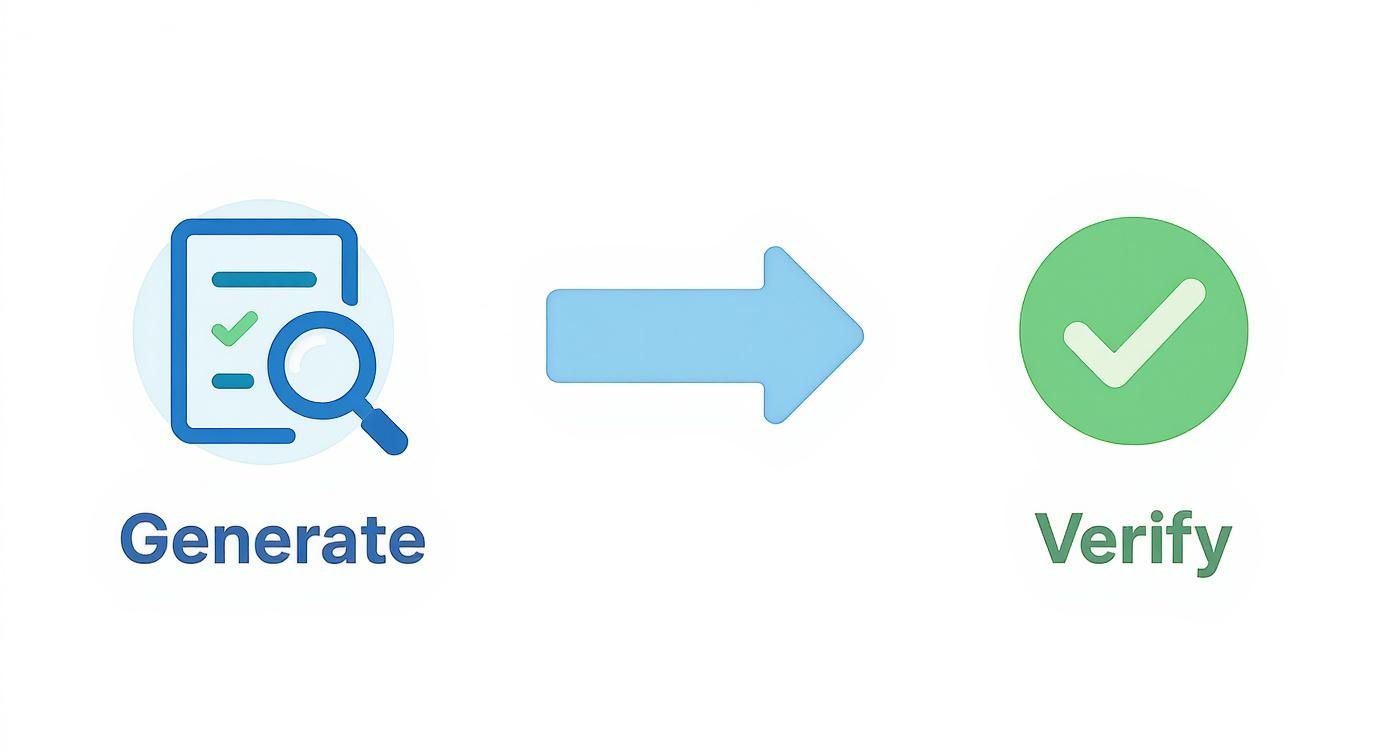
Think of it this way: build the perfect list first, then confirm the data is solid. Quality over everything.
Using Google Dorks to Find Hidden Emails
Before you even think about paying for a tool, you can turn Google into a surprisingly sharp email finder. By using specific search operators, known in the community as Google dorks, you can tell Google to dig for very specific information that’s already been indexed publicly.
It's a clever way to find email addresses people have dropped in comments, author bios, or on company websites that are linked to their LinkedIn presence. The logic is simple: you’re telling Google exactly what to look for and where to look for it.
Here are a few of my go-to queries you can adapt:
site:linkedin.com/in/ "John Doe" "Innovate Corp" email"John Doe" AND "Innovate Corp" AND (email OR contact)"John Doe" intitle:"VP of Sales" "Innovate Corp" email address
These commands cut through the usual search engine noise. They force Google to show you only the results that have your prospect's name, their company, and a keyword like "email" or "contact." It’s a low-tech but surprisingly effective way to find data hiding in plain sight.
Key Takeaway: Google dorking is a free, powerful first step for advanced searches. You're using public information without needing any third-party software, making it a brilliant skill for any team, especially if you're on a tight budget.
Of course, this is great for one-off searches, but it’s a nightmare to scale. For that, you’ll need to turn to LinkedIn’s own premium solution.
Scaling Your Search with LinkedIn Sales Navigator
LinkedIn Sales Navigator is so much more than a beefed-up version of LinkedIn—it’s a proper prospecting engine. Its real strength is in the advanced filtering, which lets you build ridiculously specific lists of your ideal customers.
With LinkedIn now boasting over 1 billion users globally, the platform is a massive professional playground. This includes huge markets in the US, Europe, and India, with some countries like Italy alone having 26 million registered users. When you’re dealing with a pool that big, advanced filtering isn’t a luxury; it’s a necessity. You can dive deeper into these numbers by checking out the latest LinkedIn statistics.
The Sales Navigator interface gives you surgical control over who you find. Instead of hunting for one person, you can build a list of hundreds who fit your ideal customer profile to a T.
For example, you could target:
- VPs of Marketing
- At SaaS companies in North America
- With 51-200 employees
- Who have been in their role for less than one year
You just can't get that kind of precision with a standard LinkedIn account.
Pairing Sales Navigator with Email Finder Tools
Okay, so you've built your perfect list in Sales Navigator. That's only half the battle. The next step is to actually get the contact information so you can start your outreach.
This is where third-party email finder tools come in. Many, like Kaspr, Skrapp, or Hunter, have Chrome extensions that plug right into the Sales Navigator interface. Once you’ve built your hyper-targeted list, you can run these extensions to enrich the data in bulk.
With just a few clicks, they scan all the profiles in your list and pull out verified email addresses. Your curated search instantly becomes an actionable outreach list.
This two-step process—using Sales Navigator to build the list and an email finder to grab the data—is the most efficient way to find someone's email from LinkedIn when you're operating at scale. It’s the perfect blend of LinkedIn's powerful filtering and the data-enriching magic of specialized software.
Staying Compliant with Ethical Outreach
Look, finding a verified email address feels like a win. And it is. But it’s only the first play of the game.
How you use that information is what separates a professional from a spammer. It’s the difference between building a valuable business relationship and getting blacklisted before you even start.
This isn't just about being polite; it’s about staying on the right side of data privacy laws like GDPR in Europe. These rules aren't here to kill B2B outreach—they're here to stop people from abusing personal data.
Fortunately, there’s a key concept that keeps legitimate B2B prospecting safe: legitimate interest.
Understanding Legitimate Interest in B2B Outreach
Under GDPR, "legitimate interest" is one of the legal grounds for contacting someone. In our world, it means you can reach out to a professional if your product or service is genuinely relevant to their job.
Think of it this way: you have a legitimate interest in emailing a VP of Marketing about your new social media analytics tool. You absolutely do not have a legitimate interest in adding them to your crypto newsletter without their permission. See the difference?
Your outreach has to be targeted. It has to be relevant. And it has to offer clear value based on their professional role. Blasting a generic email to a scraped list is a fast track to trouble.
The core principle is simple: respect the inbox. Your message should be something the recipient could reasonably expect to receive given their job title. Anything else is just noise.
This means your first email needs to be crafted with care. It must immediately signal that you’ve done your homework and aren't just firing off a template to a thousand people.
To keep your outreach practices sharp and compliant, it helps to see the right and wrong approaches side-by-side.
Compliant vs. Non-Compliant Outreach Checklist
Use this checklist to make sure you're always on the right side of the line. It’s about building trust, not just avoiding fines.
| Practice | Compliant Approach (Do This) | Non-Compliant Approach (Avoid This) |
|---|---|---|
| Targeting | Contacting a Head of HR about a new payroll software. | Emailing a random list of contacts about a generic business loan. |
| Personalization | Mentioning a recent company merger or a project they posted on LinkedIn. | Using a generic "Dear Sir/Madam" or a vague opening line. |
| Value Proposition | Offering a free audit or a case study relevant to their industry challenges. | Immediately asking for a 15-minute call without providing any context or value. |
| Transparency | Clearly stating who you are and why their specific role made you reach out. | Using a misleading subject line to trick them into opening the email. |
| Consent & Opt-Out | Including a simple way to opt out, like "Let me know if this isn't for you." | Hiding the unsubscribe link in tiny font or making it a multi-step process. |
| Data Source | Sourcing the email from a public professional profile (like LinkedIn). | Buying a list from a shady data broker with no clear consent trail. |
Following the compliant column not only keeps you safe legally but also dramatically improves your response rates. It's just good business.
Crafting a Compliant and Effective First Email
So, how does this look in practice? A compliant email isn't just about legal jargon; it's about building trust from the very first sentence. Every word should reinforce that you're a professional with something relevant to say.
Here are the non-negotiables for your first message:
- Be Hyper-Relevant: Your reason for reaching out has to connect directly to their role or company. Mention their latest LinkedIn post, a recent company announcement, or a problem unique to their industry.
- Provide Immediate Value: Don't just ask for their time. Offer something useful upfront—a quick insight, a helpful resource, or a solution to a challenge you know their role faces. Give before you ask.
- Be Transparent: No games. Be clear about who you are and why you're contacting them specifically. Vague introductions and clickbait subject lines are classic spam tactics.
- Include a Clear Opt-Out: Every single email needs a simple, no-fuss way for them to say "no thanks." Something as simple as, "If this isn't relevant, just let me know, and I won't follow up" works perfectly.
Your goal is to be a welcome guest in their inbox, not an intruder. This mindset keeps you compliant and, more importantly, turns cold contacts into warm conversations.
Turning Contact Info into Real Conversations

So, you’ve done the hard part. You have a verified email address, sourced the right way. But let's be honest, an email is just a string of characters until you make something happen with it.
This is where the real work begins. Your goal isn't just to get a reply; it's to start a real business relationship. Send a generic, one-size-fits-all message, and you’re getting deleted. Instantly.
Success means moving past just dropping their first name into a template. It’s about crafting a message that proves you’ve actually done your homework and have something genuinely valuable to say.
Crafting Outreach That Gets Opened
That first email you send sets the tone for everything that follows. It has to be sharp, respectful, and immediately relevant to the person you're contacting. Forget those stale templates and focus on a structure that builds a bit of trust from the very first line.
Let's break down a couple of real-world scenarios. You'll see how a targeted approach can turn a cold pitch into a warm introduction.
The Psychology of a Great Cold Email: A successful first touch doesn't feel cold at all. It feels like a relevant, timely message from a peer who understands the recipient's world, respects their time, and has a legitimate reason for being in their inbox.
Getting this mindset right changes everything. It shifts your writing from "what can I get?" to "what can I offer?"—and that's what earns a response.
Example Outreach Scenarios
Here’s how this actually plays out. Each message is tailored not just to the person but to the why behind your outreach.
The Sales Inquiry
This is the most common reason to reach out, but it's also the easiest to mess up. The trick is to lead with a specific observation, not a generic pitch about how great your product is.
- Subject Line: Quick question re: [Their Company]'s recent [news/event]
- Body: Hi [First Name], I saw your recent post on LinkedIn about your team's expansion into the APAC region—congratulations. I imagine scaling your [specific department, e.g., sales enablement] process to support that growth is a top priority.
- The Bridge: We recently helped [Similar Company] cut their new hire ramp-up time by 30% during a similar expansion. There might be some crossover.
- The Ask: Would you be open to a brief chat next week to explore if our approach could be useful?
This works because it's grounded in their public success, shows you get their challenges, and offers concrete social proof. It’s not about you; it's about them.
The Networking Request
Sometimes, the goal is simply to build a connection, not to sell anything. The tone here should be one of mutual respect and professional curiosity.
- Subject Line: Your thoughts on [Industry Trend]
- Body: Hi [First Name], I've been following your work on [their area of expertise] for a while, and your latest article on [Topic] was particularly insightful. I especially agreed with your point about [specific detail].
- The Ask: As someone also working in [Your Field], I'd love to connect and exchange ideas sometime. If you're open to it, let me know what your schedule looks like.
This approach feels genuine because it’s specific. You're positioning the interaction as a peer-to-peer exchange, not a one-sided favor.
Integrating Outreach into Your Workflow
Finding an email and firing off a single message is just one small piece of the puzzle. If you want to scale this without losing your mind, you need a system. This is how you connect your LinkedIn prospecting to your bigger sales and marketing engine.
First, track everything in a CRM. Whether it's HubSpot, Salesforce, or a simple spreadsheet, every single outreach attempt needs to be logged. This stops you from sending embarrassing repeat messages and gives you a clear history of your interactions.
Second, plan your follow-ups responsibly. Let’s face it, a single email is often ignored. A sequence of two or three polite, value-added follow-ups can dramatically lift your response rates. You can automate the reminders, but always keep the messages personal.
Finally, measure and refine your approach. Keep an eye on your open rates, reply rates, and meeting conversion rates. If one template or subject line is crushing it, lean into it. If another is a total flop, ditch it and try a new angle. This process only becomes a predictable pipeline when you're constantly improving. For a deeper look, check out our full guide on how to generate B2B leads, which covers building these systems out in much more detail.
Got Questions About Finding LinkedIn Emails?
You're not alone. Even with the best methods, hunting for emails on LinkedIn can feel like walking a tightrope. You've got to worry about accuracy, legal gray areas, and keeping your own account safe.
Let's cut through the noise. Here are the straight answers to the questions that come up time and time again. Getting this right will help you prospect with confidence and focus on what actually matters—building real connections.
Is It Actually Legal to Email Someone I Found on LinkedIn?
This is the big one, and the short answer is: it's complicated. It really boils down to where you are, where your prospect is, and what you're sending them.
Rules like GDPR in Europe and CAN-SPAM in the U.S. call the shots. For B2B outreach, there's a concept called "legitimate interest" that often gives you the green light. This means you can generally contact a professional if your message is genuinely relevant to their job, offers real value, and isn't shady.
But here’s the critical part: you absolutely cannot scrape their email and dump it into your marketing newsletter without their permission. That's a huge no-no. Your first email should be a personal, one-to-one message, not a generic blast. And always, always give them an easy way to opt out.
What's the Most Accurate Way to Find an Email?
Hands down, the gold standard for accuracy is an email the person has shared themselves. You might find it tucked away in their "Contact Info," buried in their "About" section, or even at the bottom of an article they published on LinkedIn.
Sure, this manual approach doesn't scale like crazy—you’ll probably only strike gold 15-30% of the time. But the emails you do find are 100% reliable. They put it there for a reason.
If you need both accuracy and volume, your next best bet is using a top-tier verification tool. Once you've used a permutator to guess a few email variations, run that list through a service like ZeroBounce or Hunter. This step confirms which emails are actually deliverable, protecting your sender score from bounces and making sure your hard work doesn't go straight to spam.
Key Insight: For your VIP prospects, do the manual work to find user-provided emails. When you need to scale, never skip the verification step after generating a list. It's non-negotiable.
This two-part strategy is the foundation of effective outreach—it gives you both quality and quantity.
Can LinkedIn Ban Me for Using Email Finder Tools?
Yes, they can. Let's be clear: LinkedIn’s User Agreement explicitly bans bots, scrapers, and any other automated software used to pull data off the platform. Technically, those handy email-finder Chrome extensions fall under that umbrella.
However, the good tools are built to be discreet. They're designed to mimic human activity to fly under LinkedIn's radar. The risk of getting flagged or banned skyrockets when you get greedy.
To keep your account safe, stick to these ground rules:
- Use Reputable Tools: Don't cheap out. Go with well-known providers that have a solid reputation to protect.
- Don't Go Crazy: Trying to scrape thousands of emails in a day is the fastest way to get your account suspended. It’s a massive red flag.
- Pace Yourself: Spread your activity out over time. Make it look natural, not like a bot on a mission.
- Get Sales Navigator: A premium account is built for prospecting. LinkedIn scrutinizes these accounts far less than free ones because you're paying for the privilege of higher activity.
The goal is to be efficient, not reckless. Use these tools responsibly, and you'll be fine.
Ready to stop guessing and start building a predictable pipeline? Growlancer offers a done-for-you LinkedIn growth system that combines authority content with targeted outreach to book qualified meetings for your entire leadership team. See how we do it at https://growlancer.ai.